Connecting your Calendar
Easily connect your calendars to keep your sessions up to date in the Nudge app
We support the following calendar providers:
- Google Calendar
- Microsoft Outlook
Integrating a Calendar
-
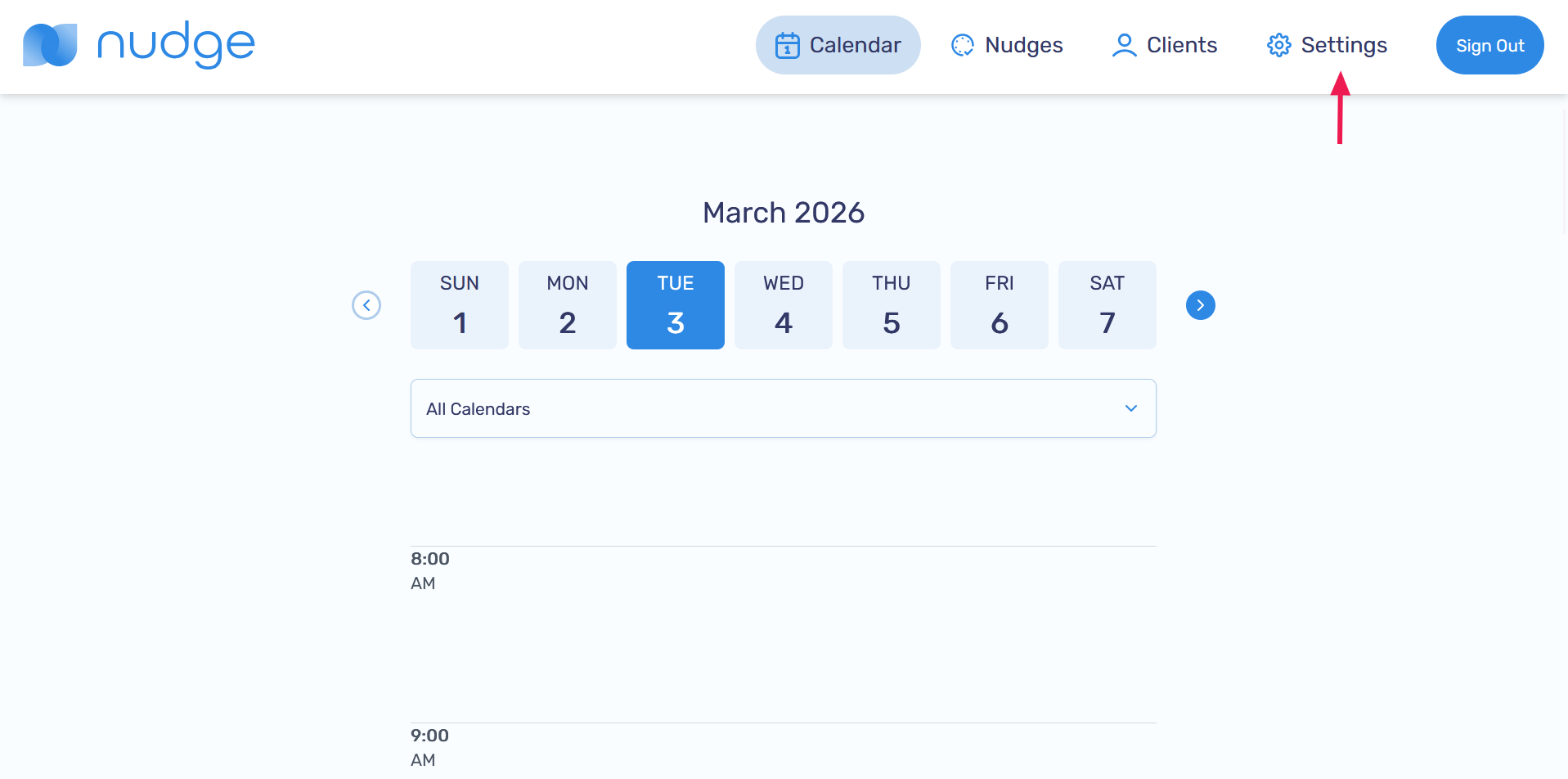
Go to the Settings page
-
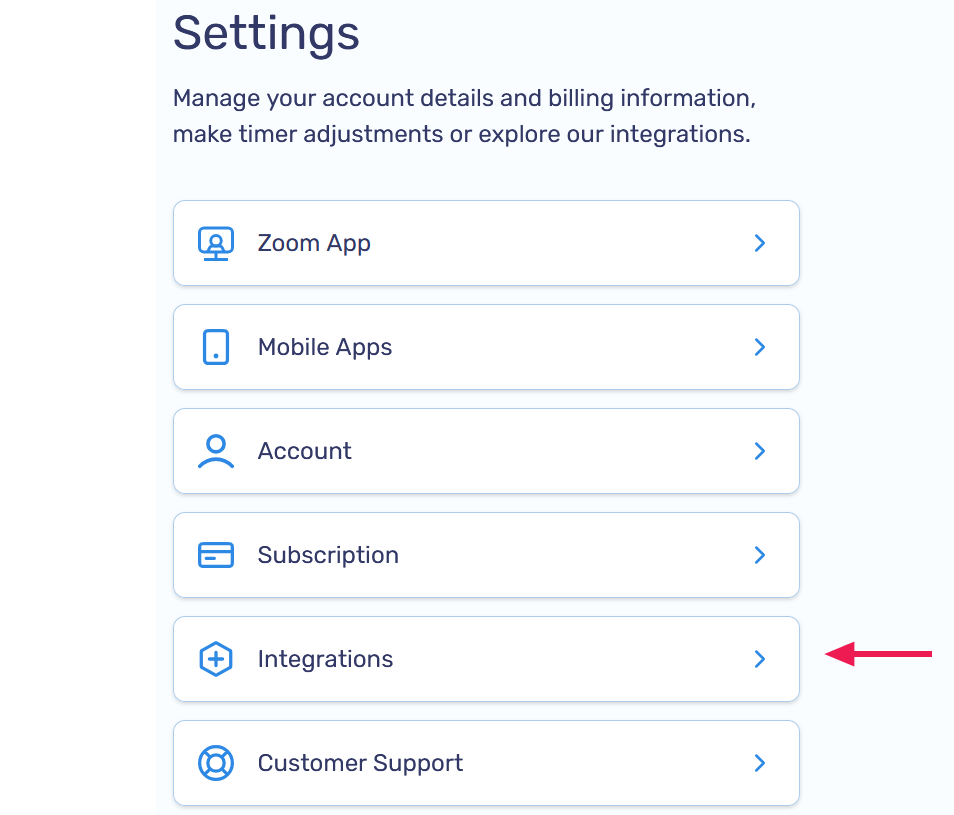
Select the Integrations option
-
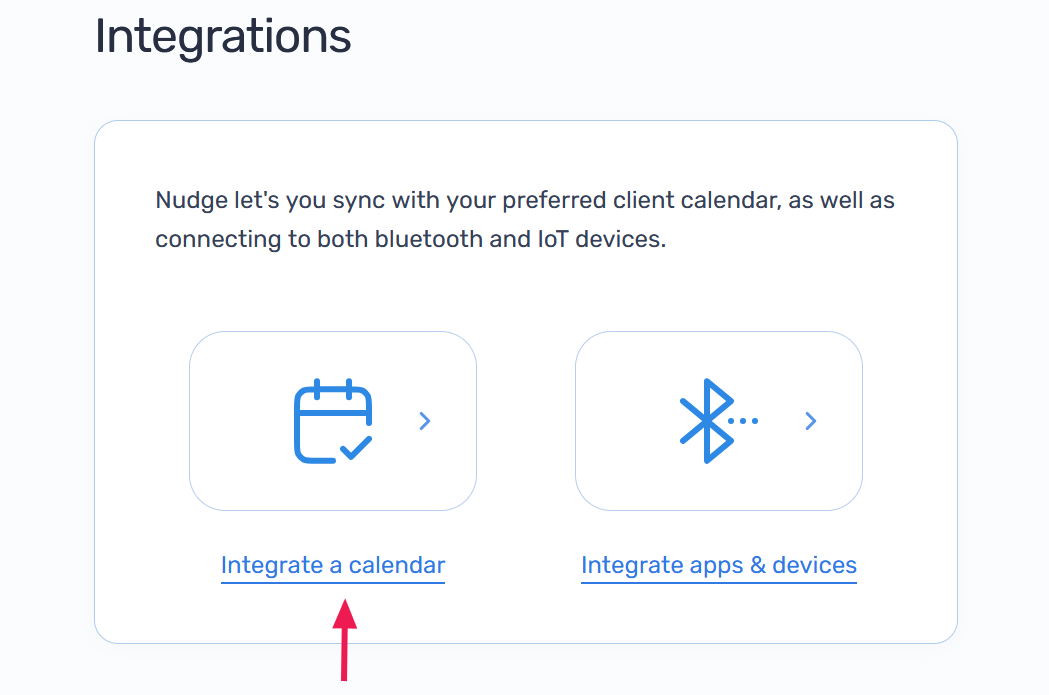
Click on Integrate a calendar
-
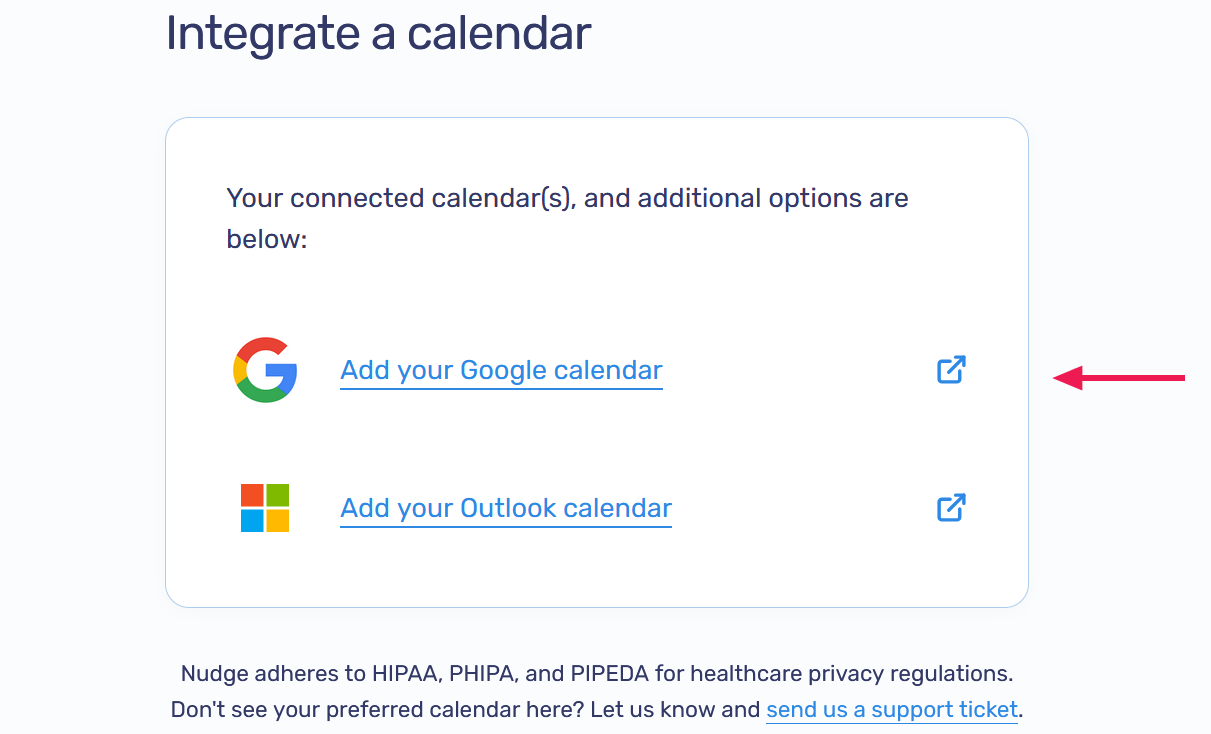
Select the calendar you want to connect. For this example we'll integrate with Google
-
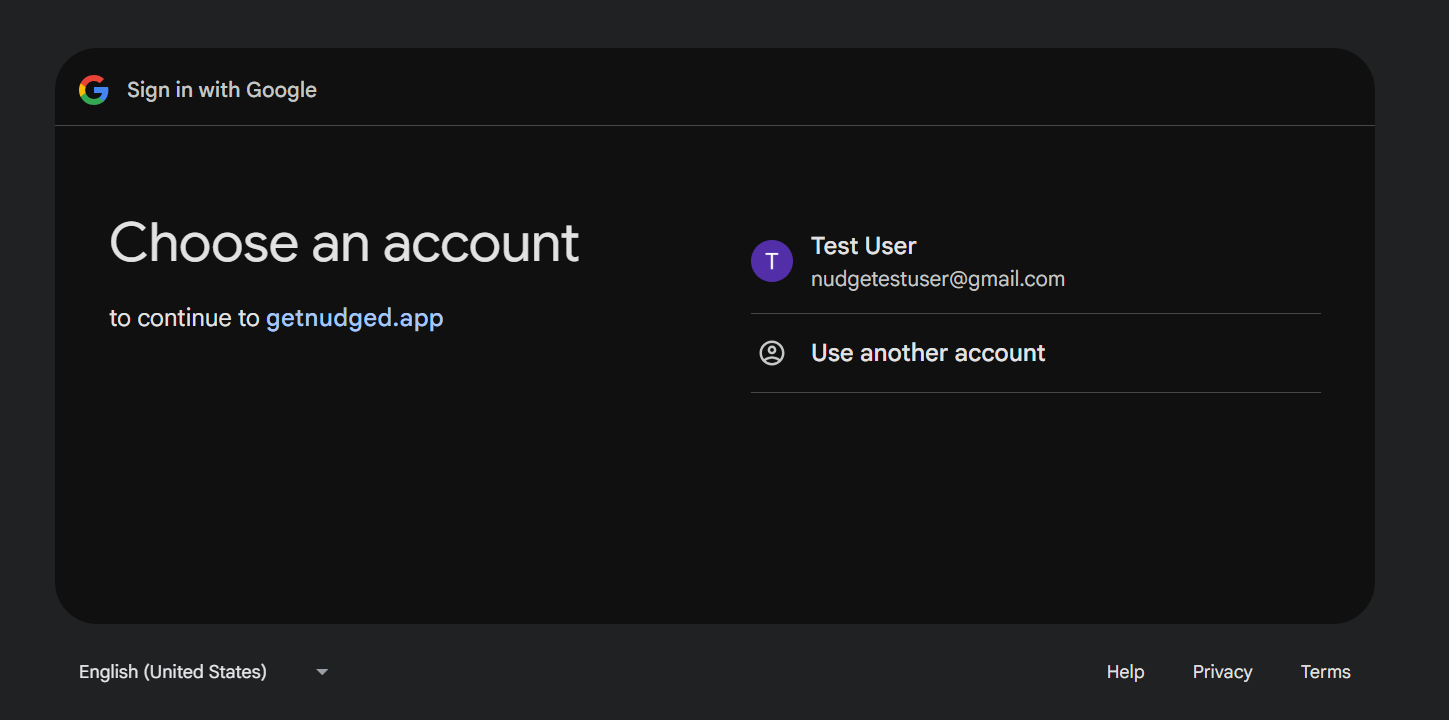
Sign in to your calendar provider when prompted
-
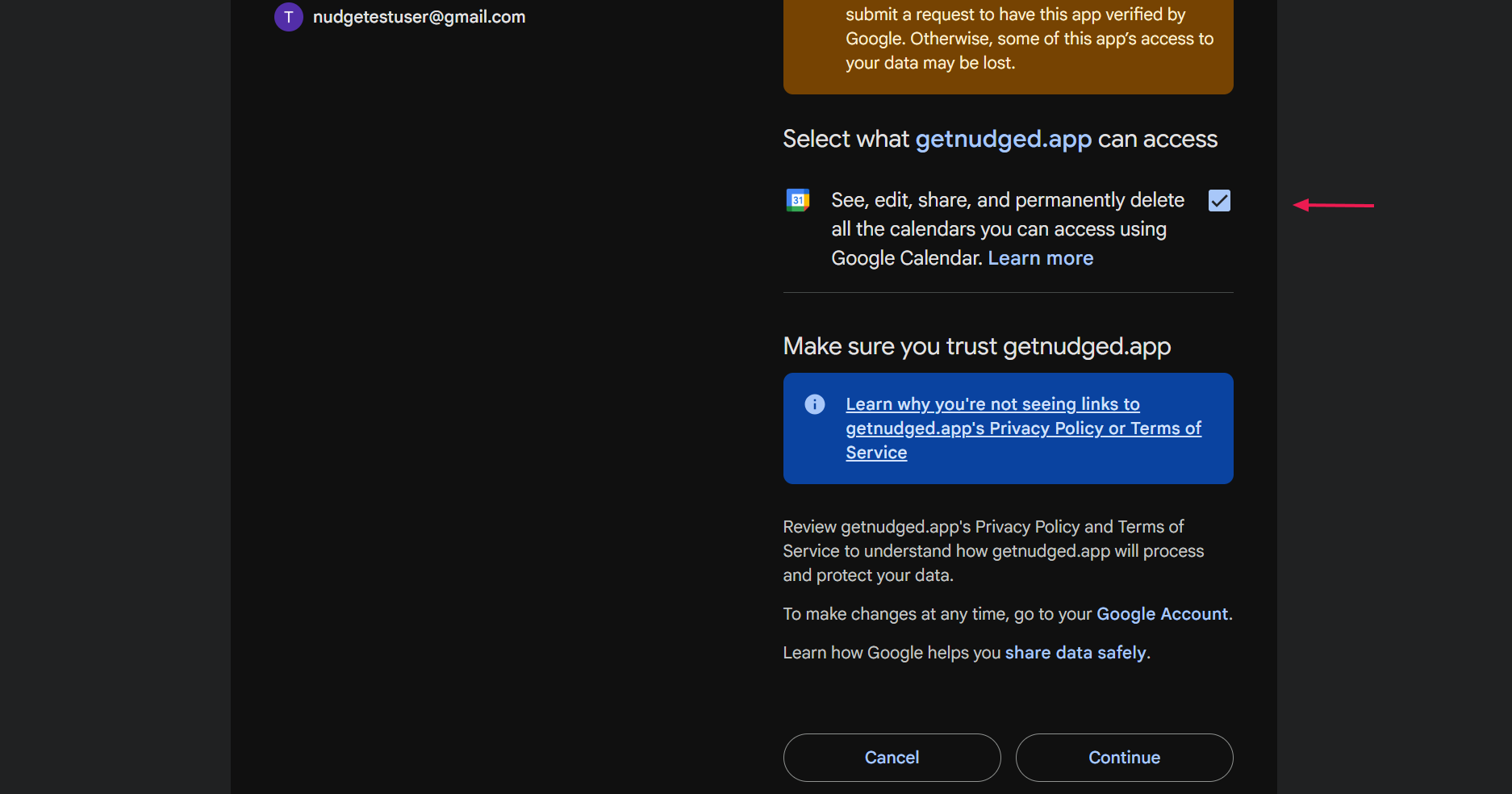
Review and approve the permissions requested by Nudge to complete the integration
-
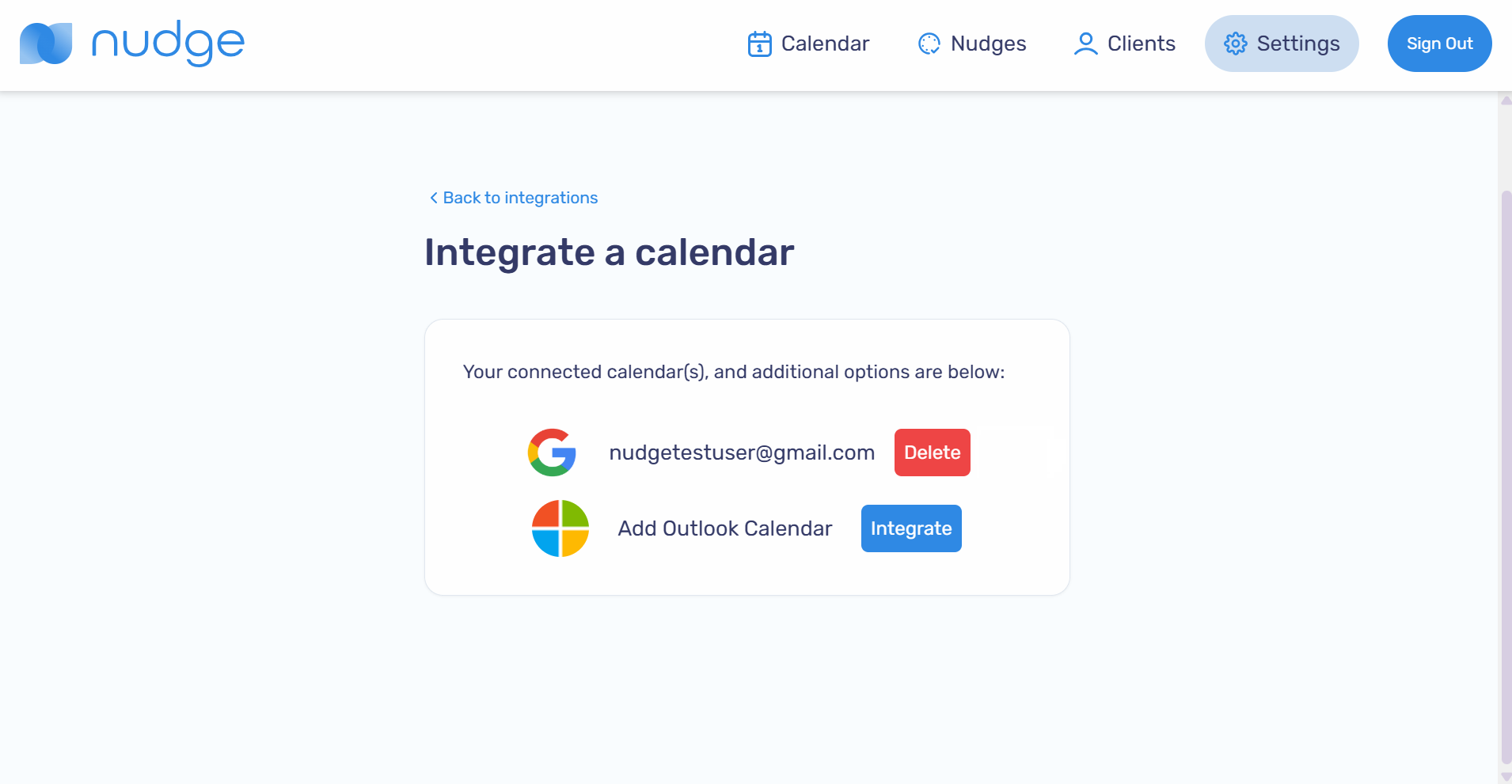
Confirm your calendar is connected on the Integrate a calendar page