Connecting to Philips Hue
Connect your Philips Hue lightbulb to create lighting transition cues
Integrating a Philips Hue Light Bulb
-
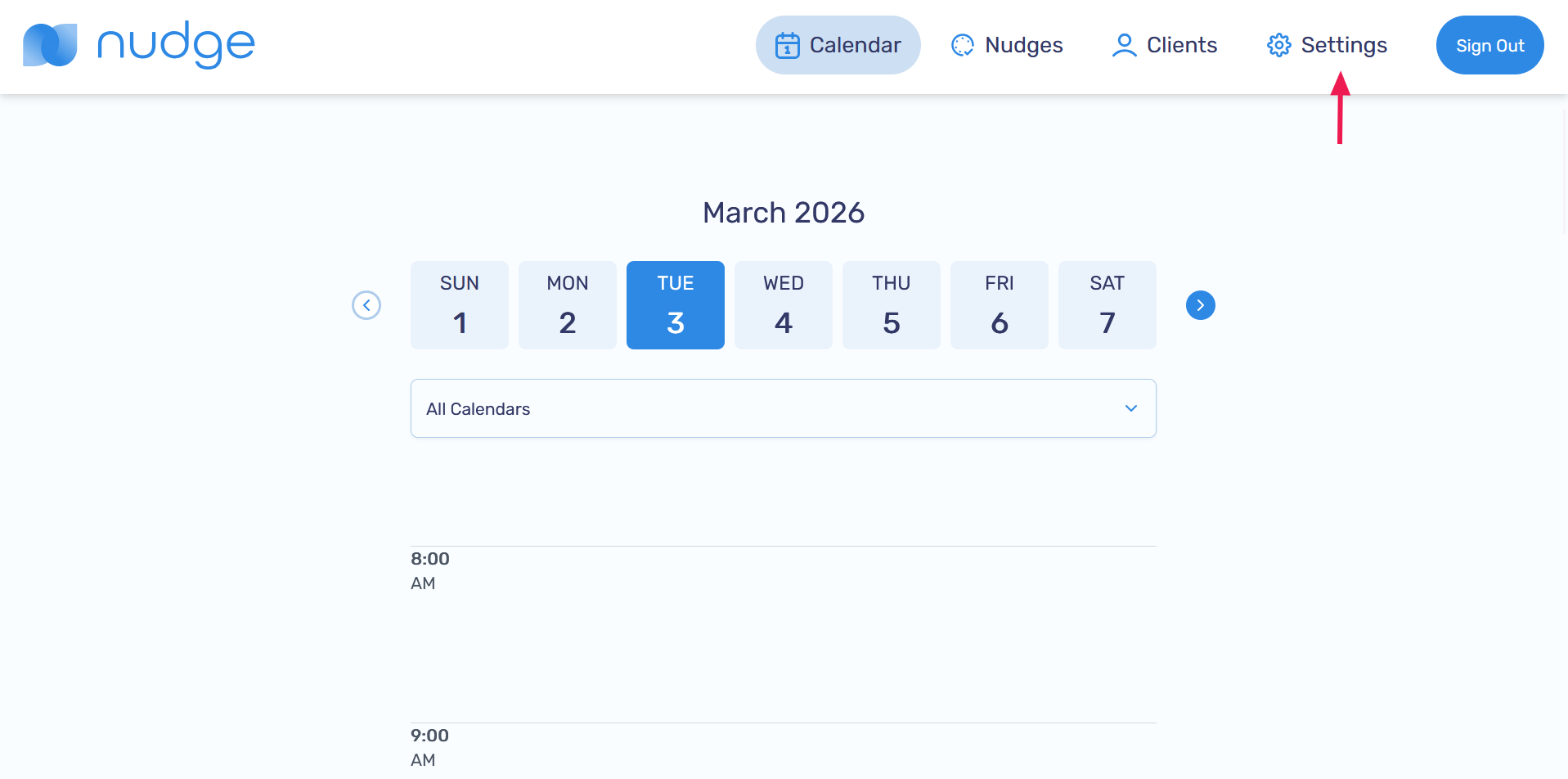
Go to the Settings page
-
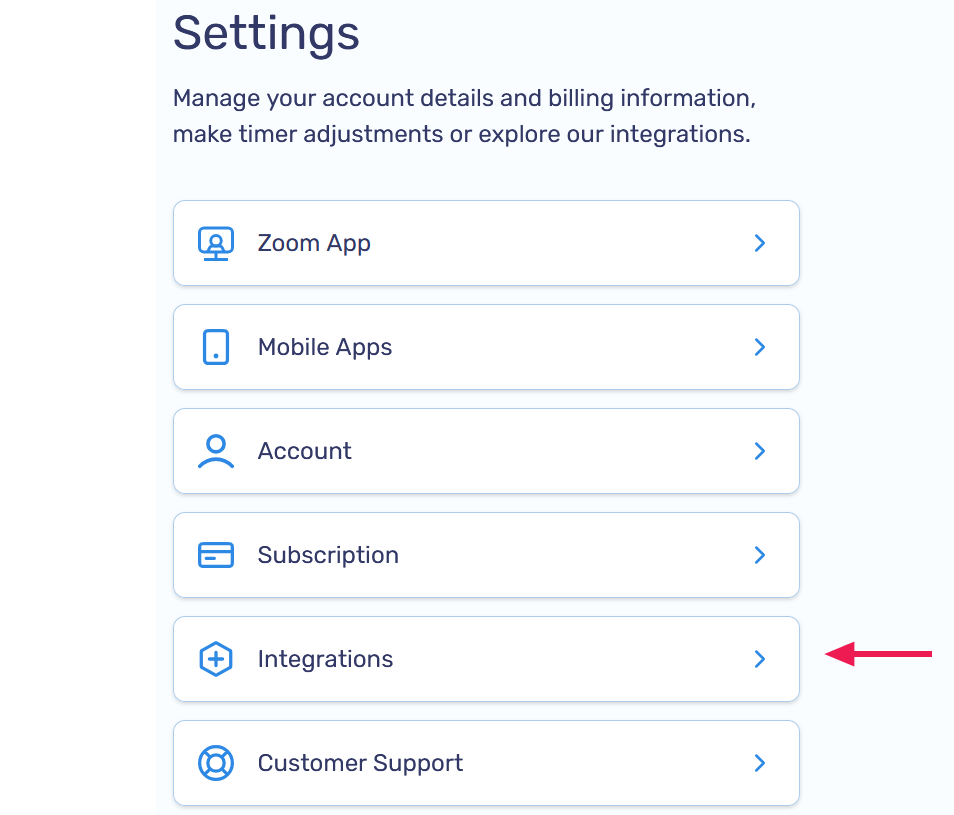
Select Integrations
-
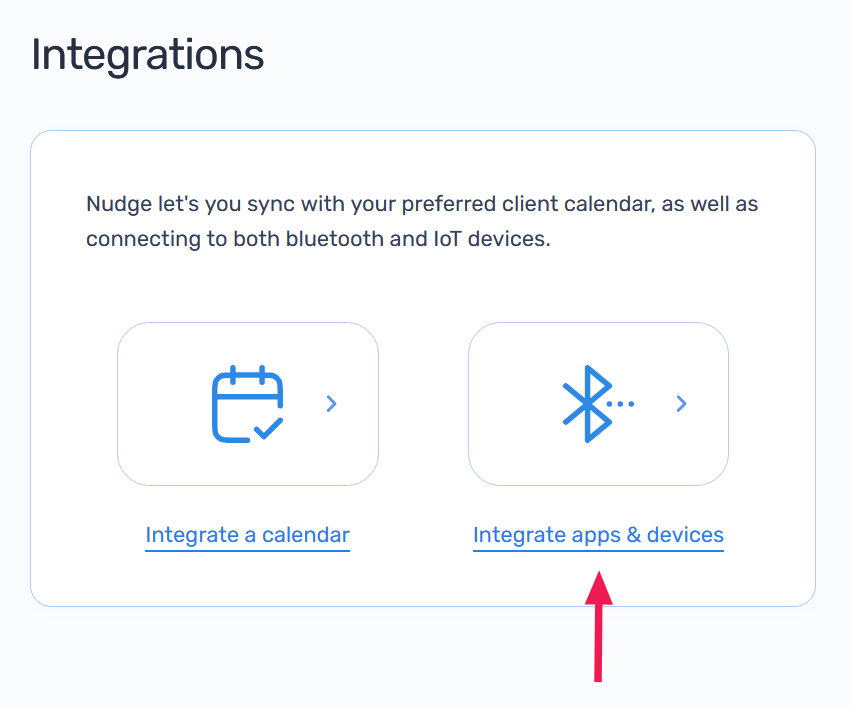
Click Integrate apps & devices
-
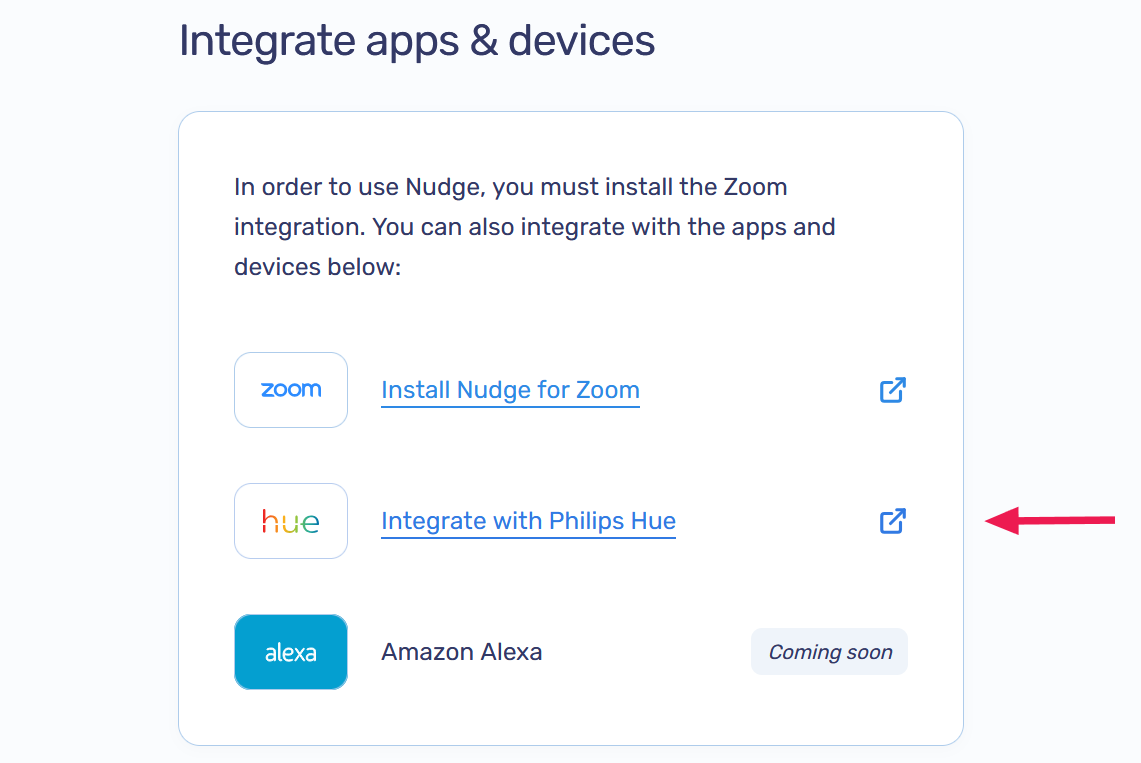
Click Integrate with Philips Hue
-
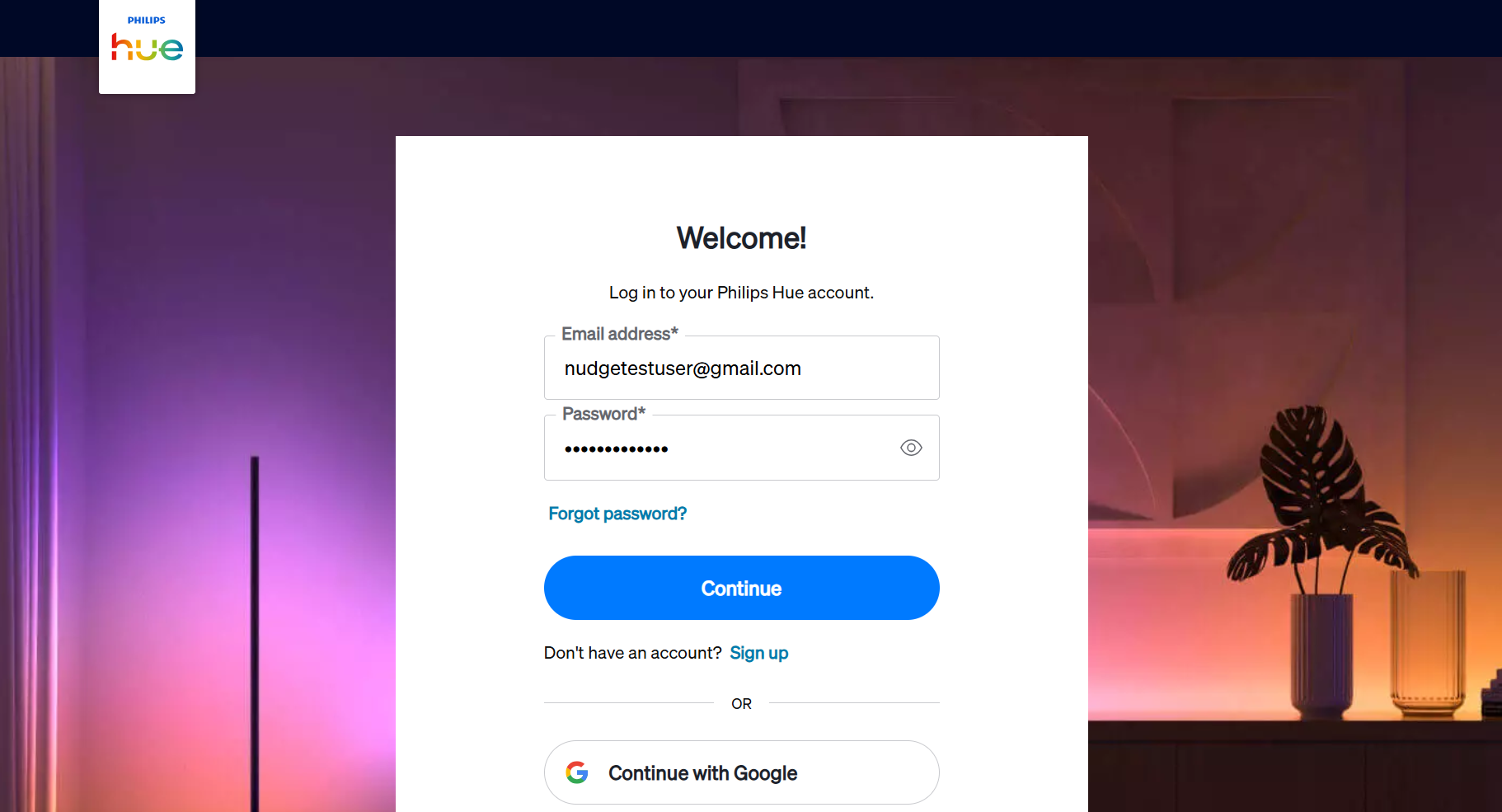
Sign in to your Philips Hue account when prompted
-
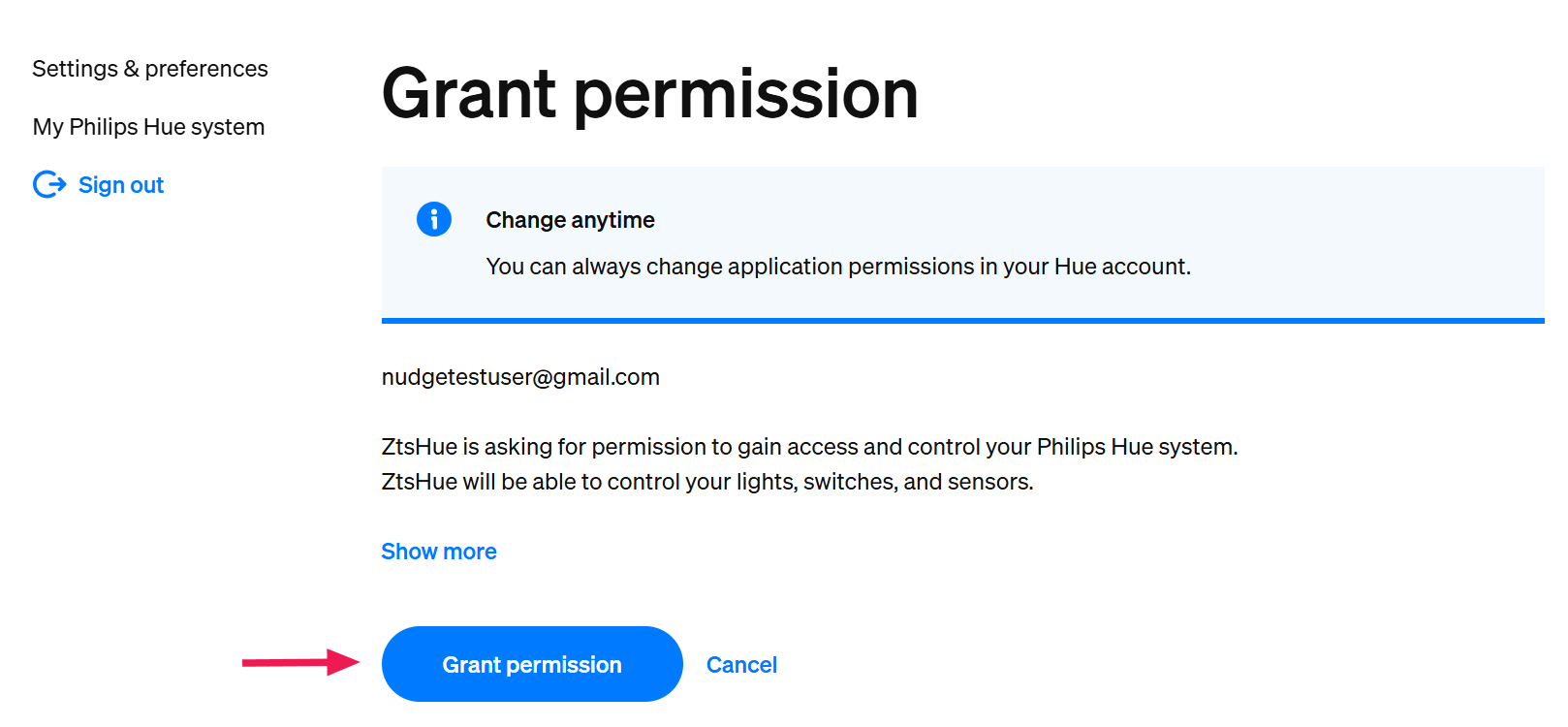
Review and approve the permissions requested by Nudge to complete the integration
-
Confirm your Philips Hue is connected on the Integrate apps & devices page
